
Some of the most dramatic developments in the field of assistive technology (AT) are happening in low-vision and blind tech.
Smart eyewear like OrCam MyEye and AI-enabled smart glasses can read text aloud, recognize faces, describe surroundings, and help users navigate unfamiliar environments. Combined with services that connect people to sighted support when needed, they turn what used to be “impossible without a human assistant” into something that can be done independently.
This isn’t a gadget story. It’s about mobility, safety, and confidence. Being able to walk across a busy campus or through an office building with reliable, real-time information is the functional equivalent of a new sense.
Computer Access: The Fastest-Moving Front in Assistive Technology
Modern work is digital. If someone can’t efficiently control a computer, their options shrink fast. That’s where the most explosive civilian AT growth is happening.
We still rely on the fundamentals:
- Screen readers and magnifiers built into major operating systems
- Speech recognition for dictation and hands-free control
But the real acceleration is in advanced voice systems, adaptive control, and AI-driven software.
Dragon Professional: Deep Vocabulary & Custom Commands
For heavy-duty, professional speech recognition, Dragon Professional by Nuance remains one of the most capable tools available. It supports:
- Custom vocabulary: Users can add specialized words and phrases (technical terms, names, acronyms) through the Vocabulary Editor or by importing word lists, improving accuracy for real-world work instead of generic language.
- Powerful custom commands: Dragon’s lets users create:
- Auto-text commands for long blocks of boilerplate phrases
- Step-by-step commands that execute sequences of clicks and keystrokes
- Advanced scripting commands for complex workflows and legacy software
For professionals who need to navigate large applications, generate reports, and control their system by voice for hours at a time, those features move Dragon from “dictation” to “full interface control.”
Training and workflow design matter as much as the software itself. That is where specialized AT training comes in. For more information on voice-access setups and Dragon-based workflows, contact Northwest Ergonomics.
Cephable: AI-Powered Software for ‘Hands-free’ Computer Control
Cephable is an AI-driven control platform that gives users new ways to interact with their computer using:
- Head movement
- Facial expressions
- Voice commands
- Virtual buttons and custom actions
Using the camera, Cephable can turn subtle gestures into precise commands, supports head-mouse control, and lets users build custom app controls that string together multiple actions into one trigger.
In practice, that means someone with limited hand function can:
- Move and click the mouse with head motion
- Trigger common shortcuts with a raised eyebrow or a spoken phrase
- Automate multi-step tasks into a single custom action
Cephable runs on mainstream operating systems and is designed to slot into real workflows.
Windows Voice Access: Built-In Control With Smarter Vocabulary
For users on Windows 11, Windows Voice Access provides system-level voice control and dictation built directly into the operating system.
Recent improvements include:
- “Add to vocabulary”: Users can add their own words, including names and hard-to-pronounce terms, to improve recognition. This can be done through the Voice Access settings or by using the “Add to vocabulary” command during dictation.
- Custom voice shortcuts: Voice Access supports voice shortcuts that let users tie a custom phrase to actions like launching an app, opening a folder, or sending keystrokes. That gives a basic form of “commands” without needing a full scripting engine.
Windows Voice Access doesn’t replace high-end tools like Dragon for everyone, but it puts meaningful voice control and basic customization in the hands of anyone with a Windows 11 machine, without extra cost.
Getting Help with Assistive Technology
The developments have been so rapid in the past couple of years, that I can’t imagine the average end-user navigating these waters themselves and getting the same result as using the guidance of an assistive technology specialist like myself. I urge you to seek consultation and training on whatever tool you choose, it can makes all the difference.
About the Author
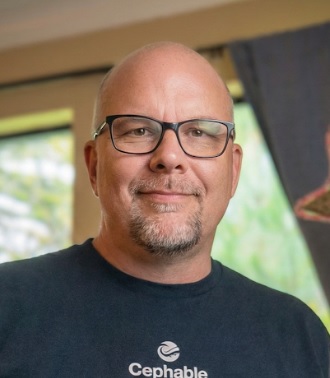
Doug Lear is an Assistive Technology Specialist at Northwest Ergonomics, with offices throughout Oregon, Washington, and the Pacific Northwest in the United States. Although Doug has worked for over 20 years in vocational rehabilitation, his passion lies in Assistive Technology. Doug enjoys working with technology, but most of all, he enjoys helping people.